Sunday, August 30, 2009

FlashGot - a beginners guide to easy downloading with Firefox

FlashGot is the best Firefox download manager integration around. That is their words and they may very well be true. FlashGot ( http://flashgot.net/ ) is a tool to integrate the website with a download manager of your choice.

In regard to download managers then we are in business with tools like DownThemAll ( http://www.downthemall.net/ ), which is free and the commercial tool ReGet ( http://www.reget.com/en/ ). I will demonstrate both here in this micro tutorial. We will also have a quick look into some of the configuration possibilities of FlashGot.

Quote: "Spend less time downloading and more time on organizing". 

The image screenshot below shows the Preferences for FlashGot. From the red marked circles you can see that I have a possibility to choose the default download manager as either DTA (Down Them All), ReGet or the build in browser download capability. I am most familiar with ReGet as it gives me the most information and control, but the choice matters little as both tools manage to download properly.


FlashGot supports a wide range of download managers whereas the most popular probably is DownThemAll, FlashGet, GetRight, jDownloader and ReGet.

FlashGot basically has two modes, either you choose to download 1 link or you choose to download the entire page, and everything that is linked to from the page, one level deep. Let's see how things looks using DownThemAll and choosing 'FlashGot All'.


If we switch the default download manager to ReGet then we get a slightly different picture although they are quite similar. With DTA some files are checked as which to download. With ReGet all files are picked as to be downloaded. Both tools require you to hand pick which, because in this case you may want only the default size video and the HD largest quality video.


With both DTA and ReGet the next step is to click OK and let the downloading begin. If you right click a link and choose 'FlashGot Link' which is the single file download mode then you get thrown directly into the single file download mode of the download manager you have set the preference too. Again it is the OK button and your download starts.

The force of download managers like DTA and ReGet are their ability to stop and resume huge downloads with multiple threads. Downloading a 2.18Gb file may take a little while and the best way is to use a tool like DTA or ReGet. Give it a try.

Offline Explorer - site ripping for beginners

Here is a small tutorial with pictures for you to better understand the steps in creating a useable Offline Explorer project which downloads what you want and nothing more.

First off, you will have to get the tool. Which you buy/get from http://www.metaproducts.com. The cheapest version is about 50 USD and the most expensive is about 500 USD. The price for the product may seem quite high, but believe me, even the most expensive version is worth the cost if you excell in siteripping. It will save you an emmense amount of time. The current version is 5.6, my own version is an old one I bought a long time ago and will be using v4.8 for demonstration use.

The target site for this demonstration is http://www.betanews.com. Betanews is a site which holds some downloadable files (programs), which mainly are the newest versions of various software. We will have a wack at the WWW & Internet section of tools. Have a look below for a peek of the site.

I'd suggest you visit the site and pan the links, so that you have some feeling of what we're about to download. Click the circled item and see what happends.

Make note of the URL in the address bar of the browser and start Offline Explorer and create a New Project. Type the URL and it will look something like the picture below.


One of the things you should make not of is what you tell OE to download. Leave it as it is for now and take not that you are downloading from the site and 1 level down in the sites hierarchy.

Click OK, and start the project. Quickly switch the top tab's to Queue. There you will be able to see what OE intends to download. It will look something like the picture below.


You can pause the downloading by pressing F9, pressing F9 again will resume the download. For more information on how to make cool use of this feature then look for HAM download here on this site.

Scroll down in the list and notice the links with the /download/ path. These are the ones of interest, the rest is "junk" and without value to us. This can be compared to make note of the links for the .jpg and the .avi / .wmv files on a site (IF that is what you want - hehe).


So we have to filter the /download/ links. Go back into your project and find 'URL Filters -> Directory' and switch to 'View included directories keyword'. Type '/download/' without the ' and add it to the list of keywords are included. Also go back up in the project and find 'File Filters -> Archive'. Add the two items 'rar' and 'exe' to the list of what to download and uncheck everything else under the File Filters. Be sure that the File Filters -> Archive is set to 'Load using URL filters settings'. Take a close look at the screenshots below. Delete the files downloaded and start the project again.


One thing you will notice is that you don't actually get the files (.exe and .rar) files because you still have a setting to download only 1 level deep. So increase the level to 2. Look below.


Delete your downloaded files and start the project again. You will see that you lack the files because they use another link structure than '/download/'. The keyword you need to include is '/sendfile/'. Add this to the directories keywords like shown below.


This time you will be able to see the list below, and that is what you will download. Let the project finish and explore the files you downloaded. If you do not know where the files are located then click the 'Options' button of OE and look under 'File Location'.


What you hopefully have learned is the use of OEEE's Filter settings and how to limit what you download. The list of keywords can greatly improve the quality of you download.

Thursday, April 30, 2009

ONTEDVD / STUNDVD

OnlyTease has been taken over by AssO, maintainment will continue.

Stunners has been taken over by thecoalabear, let hope for the very best with this trigger.

PlayboyGirls is new, thanks to cdav

Tuesday, October 28, 2008

Does Earl fit into a DVD?

Earl Miller, one of the collections which dates back in time quite a bit had not moved from CD into DVD.

Further more EMPDVD has gotten a new maintainer Newfy.

The first DVD in the serie will be DVD5. Everything prior to that still resides on the CD csvs.

Thanks to Newfy.

Tuesday, October 21, 2008

New trigger on VG

Mutton has brought in some very interesting. MET HC or as everyone should shout out loud Most Erotic Teens - Hard Core.

Fine Art Erotica models going bad, now how's that for a treat. Not bad at all.

Wether or not the site http://www.met-hc.com is actually affiliated is quite questionable. The site is designed to look much like the MET we know with a "video episode" touch to it.

Another more serious thing is the lack of §18 U.S.C. 2257 which could give you a hint about this site being in the grey area of sites. Nevertheless, the site is here.

Thursday, October 16, 2008

VG update

This summary is not available. Please click here to view the post.

Wednesday, October 8, 2008

VG update

Here's a short news on triggers on the VG cluster.

DenTikh has introduced a new trigger NSJDVD which is short for Nylon Spunk Junkies.

As you may have guessed it is a site which features nylon stocking chicks and a massive amount of cum.

You can find the site on http://www.nylonspunkjunkies.com and the trigger is located under the "X Core Club" group.

Kudos to DenTikh for the finding and csv'ing.

Monday, September 29, 2008

VG News

This summary is not available. Please click here to view the post.

Friday, September 26, 2008

Latin Nights

This summary is not available. Please click here to view the post.

Tuesday, September 23, 2008

Time is running out

The title may be a little too over dramatic as this article features a tutorial and practical example of how to configure the Windows Task Scheduler to perform automated tasks for us.

Microsoft Windows has a program called Task Scheduler which is located Start->Accessories->System Tools. You should look for the icon shown below. Task Scheduler is actually a plugin, but that is a fact we care little about as the program does what we tell it to do.

Task Scheduler isn't the best scheduler around, but it is decent and can perform tasks as we would want them to be. Windows itself has a bunch of system tasks hooked up inside Task Manager. It is not advisable to go ahead and delete these as it may affect you system quite a bit. So leave them be. That putten aside, Task Scheduler is not one of these NO, NO programs that you should not use, like regedit.exe can be. So do not think that Task Scheduler is for experts only.


As Task Schedulers most frequent basic task is a daily schedule, then it is possible for you to create more that one daily task, naturally. You can easily configure the same script to be run at 9am and then again 9pm again, for a dual daily schedule.

Also besure to explore how to run tasks as system tasks, where you do not have to be logged in. This can be extremely useful in some situations.

Anyway, the video tutorial is here:


Friday, September 19, 2008

Fixing the web?

This summary is not available. Please click here to view the post.

Use the net!

You've been briefly introduced to torrents, rapidshare and web ways of getting what you are looking for.

It is important to say that none of the sources we have covered so far are valid as sources for official csvs. Only direct source site can be a valid source. Yet you can be lucky and cut down your download times alot if you utilize torrents or the web.

But still!, there are faster ways and if you have a fast inet line and alot og free GB (woops, let's say TB) on your hdd then you can dig into the usenet alias news groups. You will have to buy a usenet account. They cost anything from 9.95$ USD to 25$ USD per month. It is pretty cheap and you get excellent service for that amount of money.

There are several usenet providers out there which are considered as good, but put you money on one of these three
Once you have an usenet account then you need a download client. Much like the μTorrent client for use with torrents you need special software for usenet. The choice of usenet clients is based on religion, but a few is worth mentioning.


You can use all 3 as trial for a limited periode of time, although Forte Agent is crippleware in the free version. All three can import NZB files (they are much like the .torrent file) and places like NewzBin they are all categorized and listed.

Groups
Usenet consists of groups. Each group can has a specific purpose, which normally is written in a FAQ or similar and each group has rules. There are well over 80.000+ groups. By far most groups contain discussions and help on normal subject and thus they contain text messages.

Some groups are binary groups. They contain little text, but on the other hand they contain alot of binaries. These binaries can be anything, a MP3, ZIP, RAR, AVI, JPG, MPG, VOB, ISO etc. These binary groups normally have the word .binaries. as part of the group name. Such a group could be

  • alt.binaries.test

The name of the group is alt (alternate) binaries (binary content) test (for test purpose). Most binary groups are named alt.binaries..

Reasons!
The reason for using usenet is that it holds alot of data. A binary group can easily hold a terabyte of data and you can go back 240 days and see what someone put into the group. On EasyNews and UsenetServer you can utilize Global Search and search through an insane amount of data to find something specific for your taste. The usenet servers also have alot of bandwidth. My bet is that you can max out your inet line 100% while downloading from usenet. So!, TOP SPEED.

Contents
The contents of each usenet group is not organized in any specific way, nor can you trust the names of the articles to contain what they claim to contains. There is quite alot of spam on usenet. If you want to utilize usenet best then you should get to know WinRAR (compression / extraction utility) and QuickPar (PAR2 utility for verifying/fixing data). Some of the contents can be downloaded and viewed directly. Some has to be downloaded and extracted/fixed before viewing is possible.

Where
So how to choose among the 80.000+ groups. Basically you can go for the groups with the most interesting names and the biggest post count and it indicates an active group. This will allow you to hit wide and get stuff. But it is not always the case for a person with collectors syndrome. If you suffer from CS then you should look towards:


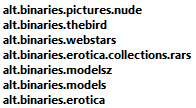
The lingo for groups are abpn, for the 1st group and so forth. The abecr group is special. The titles are not searchable and nor is the contents. You will need QuickPAR to be able to handle contents in this group and you will need to rename some files before you become a player in abecr. The group community wants to keep each group spam free, and if you spam post then you can be pretty sure that you will get an abuse mail sent to your Usenet provider and they will possible close down your account. Advice: lay low, observe, lurk and download. If you decide to get into the game then start off by saying thanks to the posters. If you decide to become a player and contribute, then be sure what you do, know the tools, know the ways, read the rules.

Getting the daily porn fix

Sometimes you get stuck with nothing to download and yet the need is there. A true addiction or collectors syndrome.

Yet you know that it is out there you just need to get it. And help is on the way. See there are quite a few places which is open to your disposal if you do good.

There's pr0n on the web, usenet, irc, ftp and on torrents. So if you are up for it then you should get yourself a torrents client. And the one which puts the least pressure on your hardware is by far μTorrent. You can find μTorrent on http://www.utorrent.com. There are quite a bunch of others available and one of the popular ones is Azurerus/Vuze which is a opensource project in Java. You can find it here: http://azureus.sourceforge.net/.

So you need to setup your torrent client and the most important thing is A) use encryption and B) make sure that your torrent client can be contacted from the outside. There are excellent articles about how to proper set up your torrent client, but basically they are all about port forwarding and allowing traffic through your firewall.

Next up is a place with torrents. And the ones you should be looking for are one of the 3 greats. And they are (no specific order).

  • Cheggit
  • Pure T'n'A
  • Empornium
There you can get pretty much everything. Google them to find the url's. You will have to create an account, you will have to let others download from you and you will have to let your box be online just a little bit more than normal. But putten that aside then you only have to learn to browse torrents and to stay online.

And just a heads up on A) DO READ THE SITE RULES and B) Do not be a complete leech.

Tuesday, September 16, 2008

Smack the beaver

This summary is not available. Please click here to view the post.

Monday, September 15, 2008

VG News flash

Short news today. VG is undergoing changes. And lately selected members can now look at samples before they decide to download a csv.

Quite helpful, for new collections especially.

Another thing is the upcoming support for Atom as feed protocol.


Two new triggers has arrived in the Reality Kings group, they are:

  • Cum Girls
  • Dangerous Dongs

Now, you may find this a bit odd but these are new old sites which was found recently by HankPalumbo - kudos for that.

Friday, September 12, 2008

News and csvs on a silver platter

On the 1st. of September RSS was introduced. MG has searched the web for a decent alternative to the commercial NewzLeecher client.

This is why we introduce a free RSS / Atom reader which will enable you to subscribe to your favourite web feed sites. You can find YeahReader on http://www.yeahreader.com and it is free of charge.

MG has smacked together a small video presentation on how to configure YeahReader so that you can enjoy the nice things of RSS/Atom so that you can get your csvs and news as you see fit.

Here you have the video:


Here is the direct link: http://www.mediafire.com/download.php?mc4zauekzpd

Wednesday, September 10, 2008

Grabbing the beaver

If you've ever surfed the web and found places like the forum at DumpsterSluts dot com. Then you may have found out that the majority of these amateur pictures are stored on the servers hosted by the ImageBeaver corp. ImageBeaver is one of those free hosting companies which makes it's money on advertising and selling subscriptions to utilize their huge amount of porn related material, pictures aswell as videos.

You can freely upload and link to your own ImageBeaver galleries. And you freely browse every new gallery which is submitted to ImageBeaver, but only today's galleries, or...to be absolutely specif, you can view todays and yesterdays. If you want to go further back or search then you have to pay for a subscription.

Downloading from ImageBeaver can be a hazzel, there are popup's and ad's scattered all over and to get a single picture takes up to 3 clicks and full page loads.

So if you want what ImageBeaver has to offer you either have to pay or to utilize the free part. You can try out the free part if you visit this link hxxp://www.imagebeaver.com/browse.php?photos=Yesterday. On the other hand, you can go for a different approach. And the approach is the following.

  1. Go download the programming language Perl from ActiveState and install it.
  2. Copy the Perl script below to your text editor ( ex. Notepad ) and save it as c:\scripts\imb.pl
  3. Click Start->Run and type cmd.exe
  4. Type: cd \scripts and hit return.
  5. Type perl imb.pl and hit return.
  6. The result should be that the script visits the ImageBeaver site and begins downloading every free image of yesterdays galleries. Normally it amounts to something between 18-24 galleries and a mb size of ~60Mb.
If you can follow what happened in step 1 - 6 above then you will have figured out that you are running a Perl based program (the one below) and it is a download script designed for ImageBeaver so that you do not have to click all the pages and watch all the ad's etc.

So, provided that you have success with the above then you just need to run the script every 24 hours or so to continously get new fresh ImageBeaver porn every day.

Luckily Windows can help you do this, ie. running the script every 24 hour. You can obtain this luxury by clicking your Start->Accessories->System Tools->Task Scheduler. There you can create a task which runs every 24 hour and you type in the command to execute every 24 hour. And you have the commands above. You can make it easier for you if you make a command file. A command file for running the script above will look like this:

c:
cd \scripts
c:\Perl\bin\perl.exe c:\scripts\imb.pl

Write the above in Notepad and save is as c:\scripts\imb.cmd. And put c:\scripts\imb.cmd into the Task Scheduler. And remember to start the Task Scheduler after you have finished configuring your task, otherwise it will not run - naturally.

Here you have the Perl script:


#!C:/Perl/bin/perl -w

# Scripe coded by pwd
# Date: 7th September 2008
# Revision #1
# Handles: http://www.imagebeaver.com/browse.php?photos=Yesterday

use strict;
use POSIX
qw(ceil floor);
use LWP::UserAgent;
use Archive::Zip
qw( :ERROR_CODES :CONSTANTS );
use File::Find;

print "ImageBeaver Script v2008-09-07 by pwd.\n\n";

my
($sec,$min,$hour,$mday,$mon,$year,$wday,$yday,$isdst) = localtime(time);
my
$theYearMonth = sprintf("%04d-%02d-%02d",$year+1900,$mon+1,$mday);;
my
$pageurl = "http://www.imagebeaver.com/browse.php?photos=Yesterday";

my
$ua = LWP::UserAgent->new;
$ua->timeout(40);
$ua->agent('Mozilla/5.0');
my
$thePage = "";

my
$commandArgs=0;

foreach my
$ARGV (@ARGV){
$commandArgs = 1;
$ARGV =~ m/(.*?).html?/;
$theYearMonth = $1;
open my $readfile, '<', $ARGV or die "error trying to load: $!";
binmode ($readfile);
my
$size = -s $ARGV;
print "Loading: ", $ARGV, "\n\n";
sysread($readfile,$thePage,$size,0);
close($readfile);
getIt
($thePage,$theYearMonth);
}
if
($commandArgs==0) {
print "Downloading: ", $pageurl, "\n\n";
$thePage = getHTTPPage($pageurl);
getIt
($thePage,$theYearMonth);
}
exit;


sub getIt {
my
($page,$yearmonth) = @_;
$page =~ tr/\r\n\t//d;
$page =~ s/ / /g;
my $monthfilename = join "",$yearmonth,".html";
open my $overwrite, '>', $monthfilename or die "error trying to overwrite: $!";
print $overwrite $page;
close $overwrite;

mkdir($yearmonth, 0777);

$page =~ m/(\/photos\/[^"]+\.html)/;
my $oldSubPageLink=$1;
my $clipNo=1;

while ($page =~ m/(\/photos\/[^"]+\.html)/g)
{
if (($oldSubPageLink ne $1) || ($clipNo == 1)) {
my $url = join "","http://www.imagebeaver.com",$1;
$oldSubPageLink = $1;
my $subPage = getHTTPPage($url);
while ($subPage =~ m/(http:\/\/www.imagebeaver.com\/photos\/[^\d]+\d+_\d+[^]]+\.html)]/g) {
$url = $1;
my $picPage = getHTTPPage($url);
$picPage =~ m/thepic[^\/]+([^"]+)/;
$url= join "","http:",$1;
$url=~m/([^\/]+.jpg)/;
my $filename = $1;
my $dirName = sprintf("%s - %02d",$yearmonth,$clipNo);
if (getHTTPFile($url,$filename,$dirName,$yearmonth) != 100) {
chdir $dirName;
unlink $filename;
chdir "..";
print " (incomplete, deleting...)\n";
} else {
print "\n";
}
}
$clipNo++;
}
}
}


sub getHTTPPage {
my ($myurl) = @_;
my $mypage = "";
my $response = undef;
my $req = HTTP::Request->new('GET', $myurl);
$response = $ua->request($req);
if ($response->is_success) {
$mypage = $response->content;
return $mypage;
} else {
$response = $ua->request($req);
if ($response->is_success) {
$mypage = $response->content;
return $mypage;
} else {
print STDERR "ERROR: Unable to download $myurl\n";
die;
}
}
}


sub getHTTPFile {
my ($zipurl,$filename,$folder,$yearmonth) = @_;
my $req = HTTP::Request->new("GET", $zipurl);

$filename = lc($filename);
my $storefolder = $folder;
my $percentage = 100;

chdir $yearmonth;
mkdir ($storefolder, 0777);

my $expected_length;
my $bytes_received = 0;

chdir $storefolder;
if (-s $filename) {
print STDERR "\r $storefolder\\$filename already exists, skipping";
chdir "..";
return $percentage;
}

# check if file exists and has a non zero size

open my $overwrite, '>', $filename or die "error trying to overwrite: $!";
binmode $overwrite;
my $oldpercentage = 0;

my $res = $ua->request($req,sub
{
my
($chunk, $res) = @_;
$bytes_received += length($chunk);
unless
(defined $expected_length) {
$expected_length = $res->content_length || 0;
}
$percentage=100 * $bytes_received / $expected_length;
my
$progress="";
if
(floor($percentage) != floor($oldpercentage)){
print "\r";
$oldpercentage=$percentage;
if
($expected_length) {
$progress = sprintf(" (%d%%) %s\\%s %d",100 * $bytes_received / $expected_length,$storefolder,$filename,$bytes_received);
print "$progress bytes";
}
}
print $overwrite $chunk;
});
close $overwrite;
chdir "..";
return floor($percentage);
}